
Import NinjaTrader trades
Step 1: Log in to your NinjaTrader account.
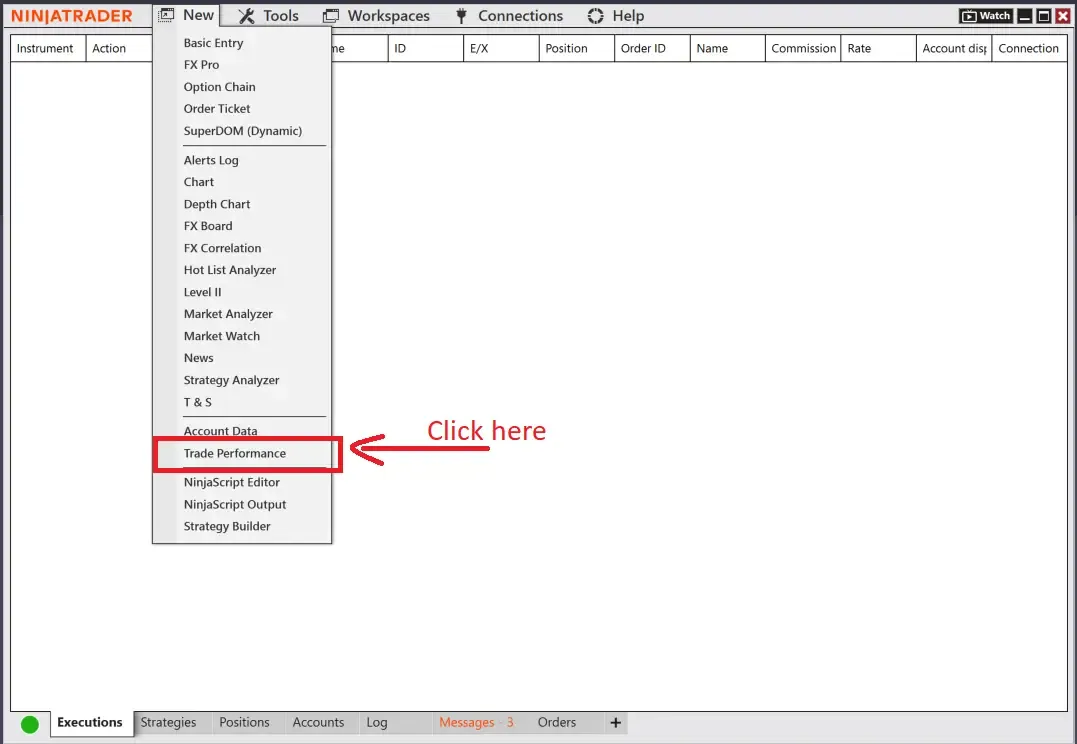
Step 2: In the Control Center, go to the Trade Performance window.
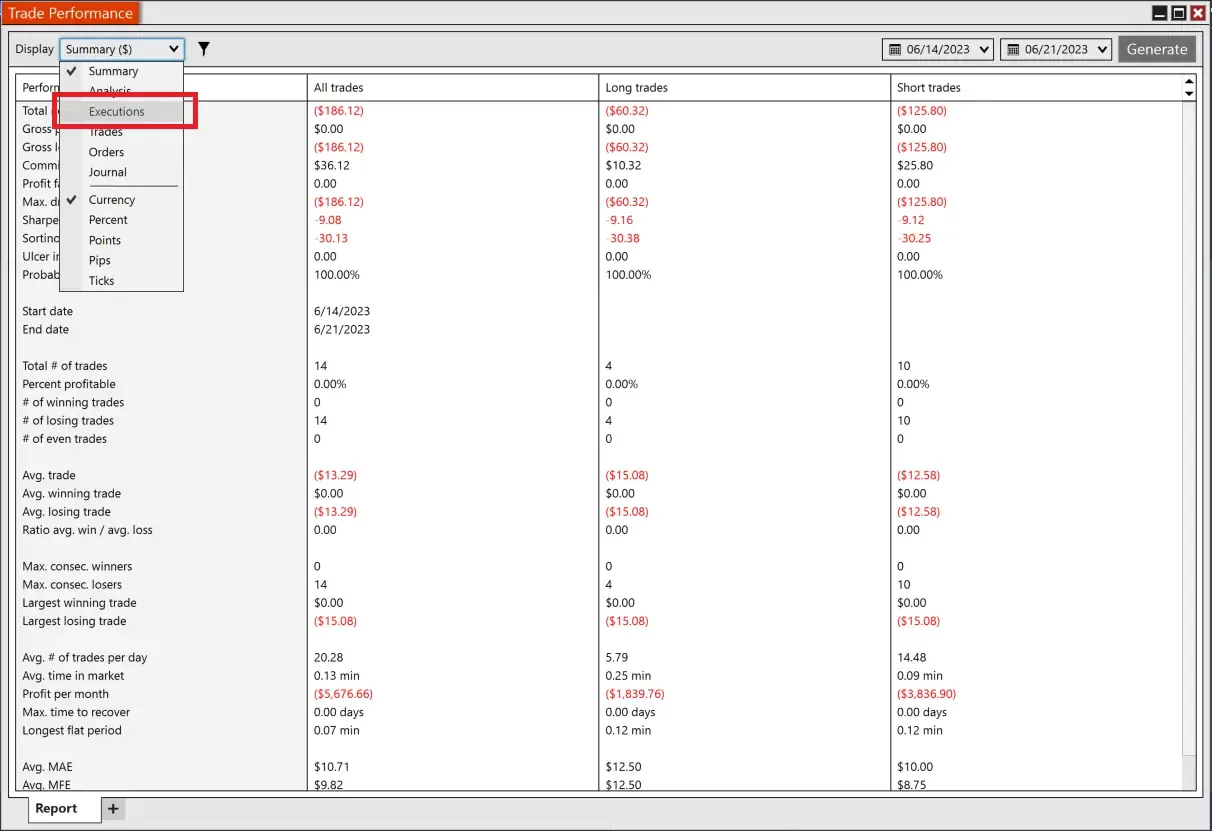
Step 3: On the Trade Performance tab, click on the Display dropdown menu and select ‘Executions.’
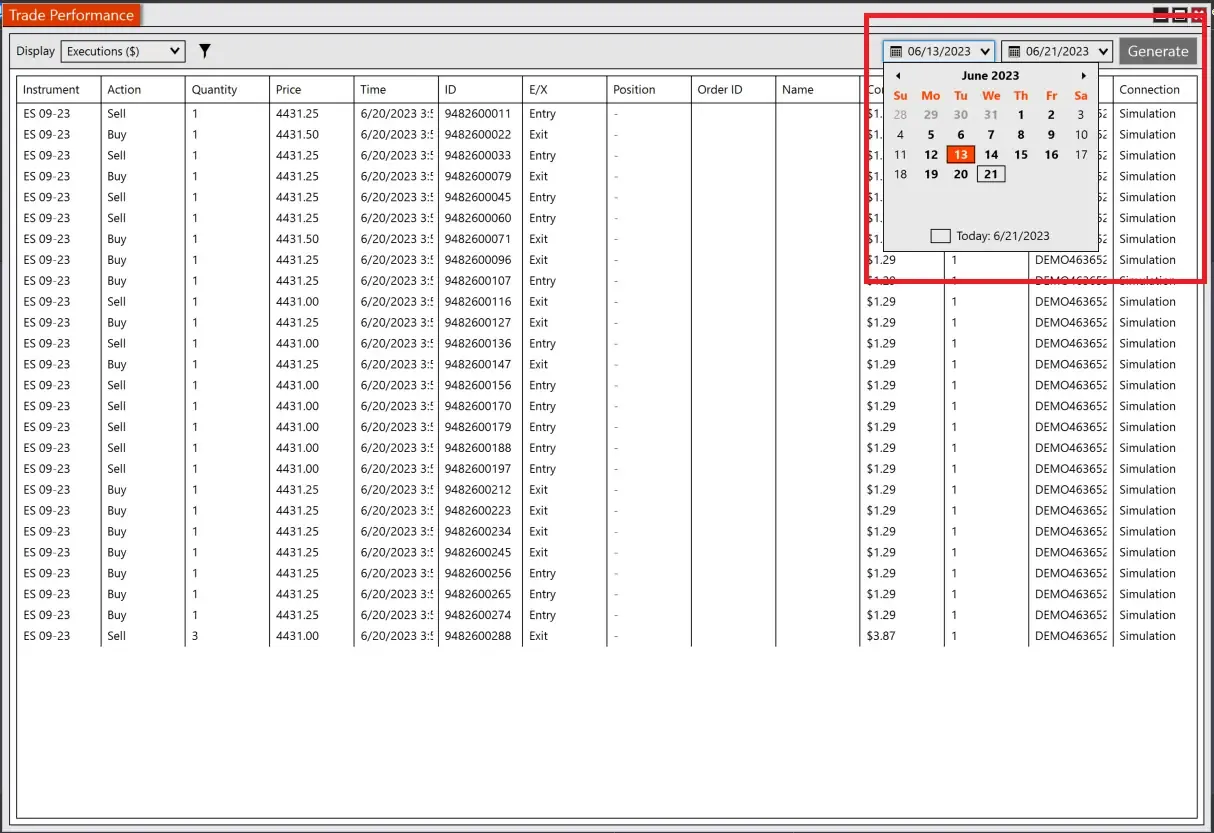
Step 4: Set the desired date range for the trades you want to export and click the “Generate” button.
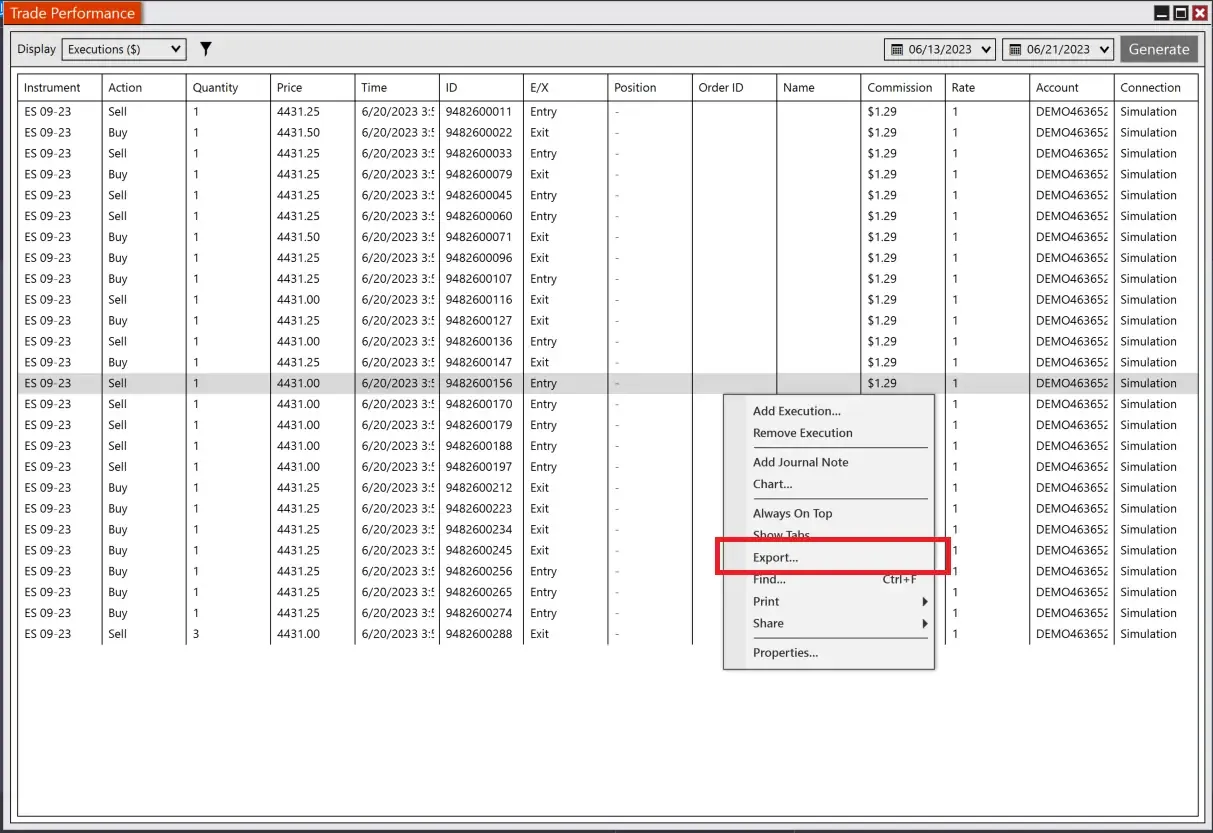
Step 5: Once the results are displayed, right-click anywhere in the list and select “Export.”
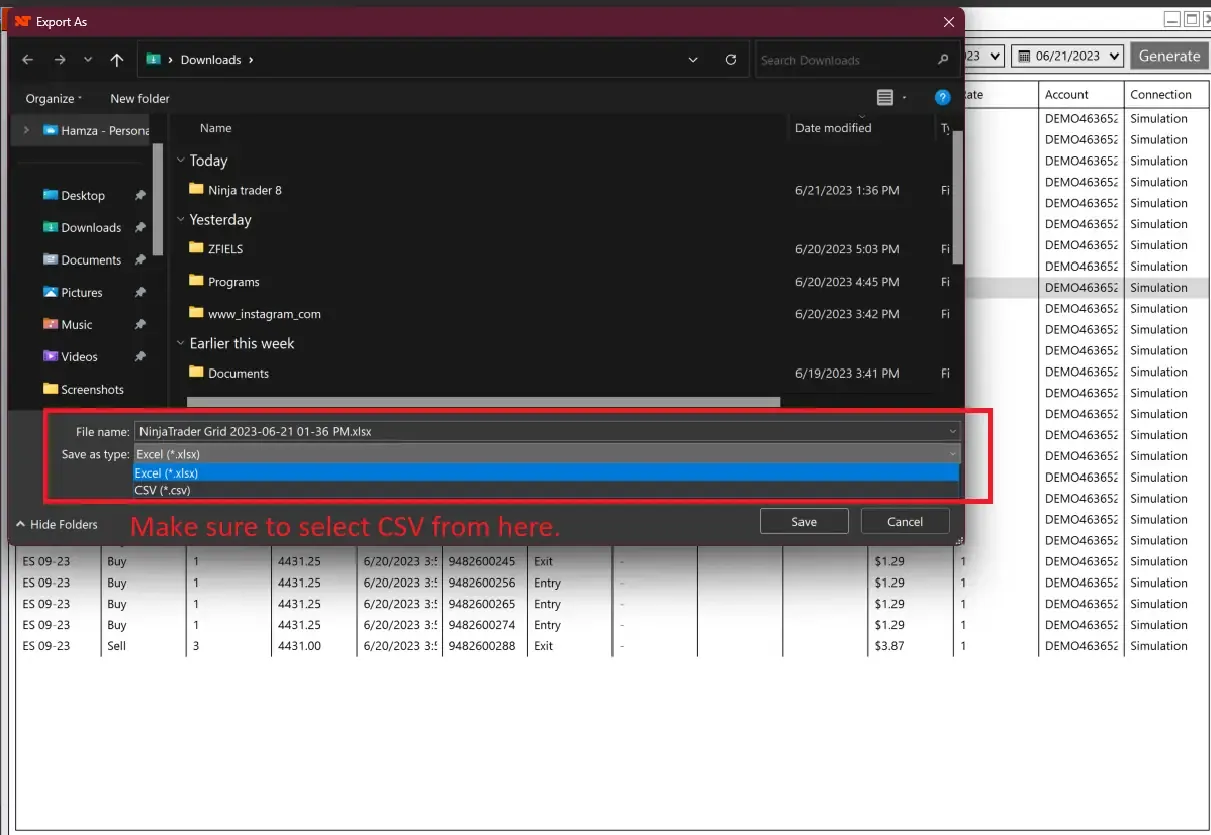
Step 6: Choose “Save as type” as CSV and save the file to your desired location on your computer.
Uploading the exported file into TradeReview
Section titled “Uploading the exported file into TradeReview”- Visit the TradeReview import page here or by clicking the ”+” button on the sidebar.
2. Select Your Account
Section titled “2. Select Your Account”- Select the account to which you want to import trades