
How to close a trade manually
Use this when a position is closed at your broker but still open in the journal — or when you need to record the exit yourself.
- Open Trades (Trades).
- Select the trade to open trade detail.
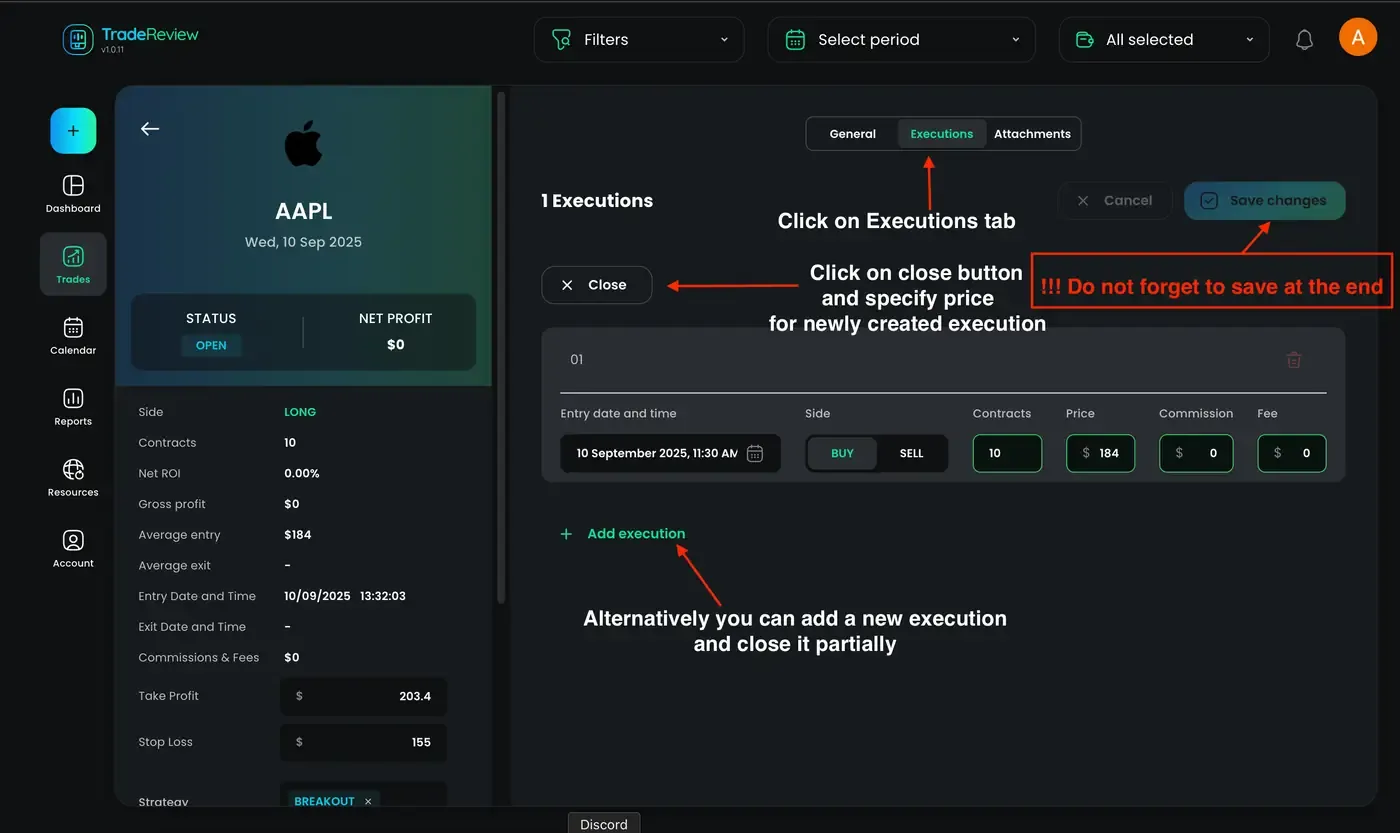
- Open the Executions tab.
- Close the position in one of two ways:
Option A — Add an offsetting execution
Section titled “Option A — Add an offsetting execution”Add an execution that closes the open size:
- Entry date and time — when the close happened
- Side — opposite of the open (Buy opens → Sell closes, and vice versa)
- Contracts / shares — size you are closing
- Price — exit price
- Commission / Fee — if applicable
Option B — Close trade
Section titled “Option B — Close trade”Use Close trade, set the exit price for the new execution, then save.
- Review the details, then save the trade.
- Close the journal trade once the broker position is flat
- Record partial exits as separate executions until size is fully closed